
Dictate a command in your terminal, and LotusQ types it as one
7 days free, no card
Hold your dictation key, talk, then let go. On a Mac, hold Fn. On Windows, hold Ctrl + Win. On Linux, hold F1. Or choose another key in Settings.
Hold your dictation key, talk, then let go. On a Mac, hold Fn. On Windows, hold Ctrl + Win. On Linux, hold F1.

If you spend a lot of your day in a terminal, you will know the problem: a command you dictated there was typed like any other sentence, with a capital letter and a full stop. In LotusQ 2.15.0, a dictation that starts with a command, like npm, git or cd, is typed in a terminal app as the command.
Say a command, get a command
Start your dictation with the command and say the rest as you would read it out. Here is what LotusQ types:
- "npm run dev" becomes
npm run dev - "npx vitest run" becomes
npx vitest run - "ls dash la" becomes
ls -la - "cd tilde slash projects" becomes
cd ~/projects - "cd dot dot slash src" becomes
cd ../src - "cd C colon backslash" becomes
cd C:\
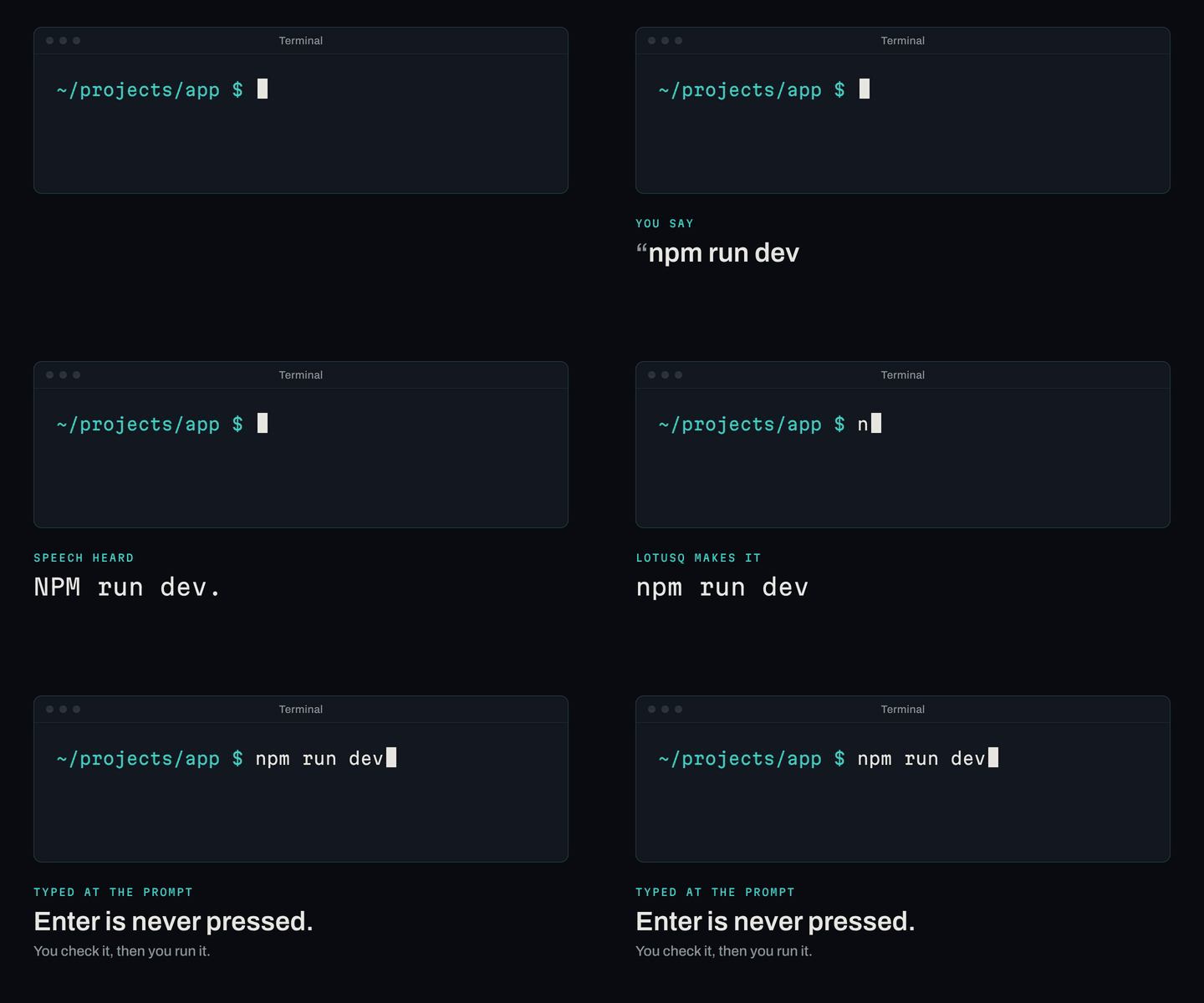
What LotusQ fixes for you
- Lowercase. When the speech comes back as "NPM run dev.", LotusQ types
npm run dev. - No full stop. The full stop the speech adds at the end is dropped. A path such as
..keeps its dots. - Spoken symbols. "dash dash" becomes
--, "slash" becomes/, "tilde" becomes~and "dot dot" becomes... - Common mishearings. "pseudo" heard for sudo is typed as
sudo. Tilde is often heard as "tilda" or even "till the", and "ls till the slash projects" still comes out asls ~/projects.
LotusQ never presses Enter
LotusQ types the command and stops there. It never presses Enter for you, so you always see the command before it runs, and you run it yourself when it looks right.
Everything else stays a sentence
Only a dictation that starts with a command is typed as one. Say "Run the tests." or "I think the build is broken." in the same terminal, and LotusQ types a sentence, just as it does everywhere else.
Where it works
Terminal commands work in terminal apps. The ones LotusQ recognises include:
- Mac: Terminal, iTerm2, Warp, Ghostty, WezTerm, kitty, Alacritty and Hyper.
- Windows: Windows Terminal, Command Prompt, PowerShell, ConEmu, Cmder, MobaXterm and PuTTY.
- Linux: GNOME Terminal, Konsole, Xfce Terminal, Tilix, Terminator, foot and xterm.
It does not work in the terminal pane inside an editor such as VS Code. There your dictation is typed as a sentence, like the rest of what you dictate in the editor.
What it doesn't catch yet
Some commands still come out as a sentence. Commands such as ssh, pip install and git log, and file names such as report.pdf, are not always recognised yet, and may be typed as a sentence.
If that gets in your way, turn it off in Styles › Coding › Terminal commands.
Getting 2.15.0
LotusQ 2.14.2 updates itself to 2.15.0. Your settings, dictionary, snippets, sign-in, History and keys carry over. Nothing needs doing.
New to LotusQ? Download it for Mac (Apple Silicon), Windows or Linux.
Questions
Does LotusQ run the command for me?
No. LotusQ types the command and never presses Enter, so you always check it before it runs, and you run it yourself.
Does it work in the terminal inside VS Code?
No. It works in terminal apps, not in the terminal pane inside an editor such as VS Code. There your dictation is typed as a sentence.
How do I turn it off?
Turn off Styles › Coding › Terminal commands. Some commands, such as ssh, pip install and git log, are not always recognised yet, so turn it off if that gets in your way.
Try LotusQ
Download LotusQ, hold your dictation key, and talk into whatever you're writing next.
7 days free, no card
LotusQ runs on your computer.
lotusq.io/download
- Mac:Apple Silicon (M1 or later), macOS 12 or later. Signed with an Apple Developer ID and notarised by Apple.
- Windows:Windows 10 or 11, 64-bit.
- Linux:64-bit Intel or AMD (x86_64). AppImage, .deb, .rpm or .pacman.
Version 2.18.2 ·Release notes (opens GitHub)